The Timelapse Shoot Plan
Count the frames from the clip, fit the longest exposure inside the interval, size the card and battery to the whole session, and keep the tripod still in the wind
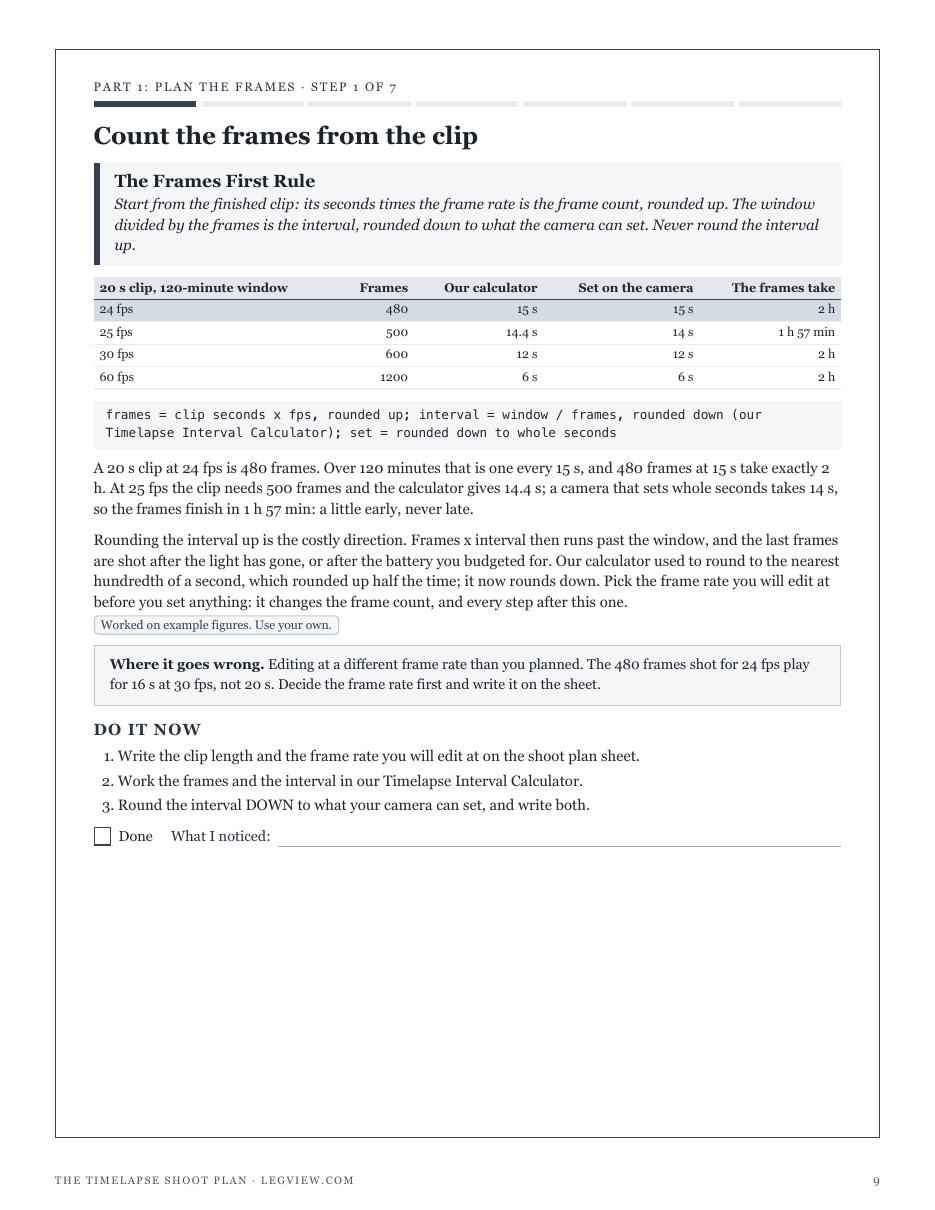
TripodIQ's free Timelapse Interval Calculator gives the frames and the interval for the clip you want, and its own page says what it leaves out: battery life, storage space and shutter limits are not modelled. That is where timelapses fail. The interval was right, and the card filled, the battery died in the cold, or the night exposures grew longer than the gap between frames. The site's tripod calculators never meet the timelapse, though a shoot left running for hours in the open is exactly where wind and a raised column matter. The Timelapse Shoot Plan carries the calculator's answer through everything the shoot depends on. A 20 s clip at 24 fps over two hours is 480 frames at 15 s; a 10 s night exposure fits, but with long-exposure noise reduction on each frame takes 20.5 s and the frames need 2 h 48 min. With a 15-minute lead-in and tail the camera fires 601 times, 21.7 GB of 30 MB RAW files with a 20% margin, and 2 batteries in mild weather or 4 at freezing. A 1.55 kg camera and zoom on a 3 kg tripod is marginal in wind with the column up and safe with it down, so the column comes down before a bigger tripod is bought. The worked figures are examples and every one is computed by the site's own calculators; the plan names no brand and covers ground tripods only, with the safety lines on walkways, roads, permits, wind, weather and never leaving a running shoot unattended. Included: 7 steps, 4 printable working pages, a reference table of frames, intervals and storage, a quickstart, and a personalised sheet worked out from the numbers you enter.
Look inside
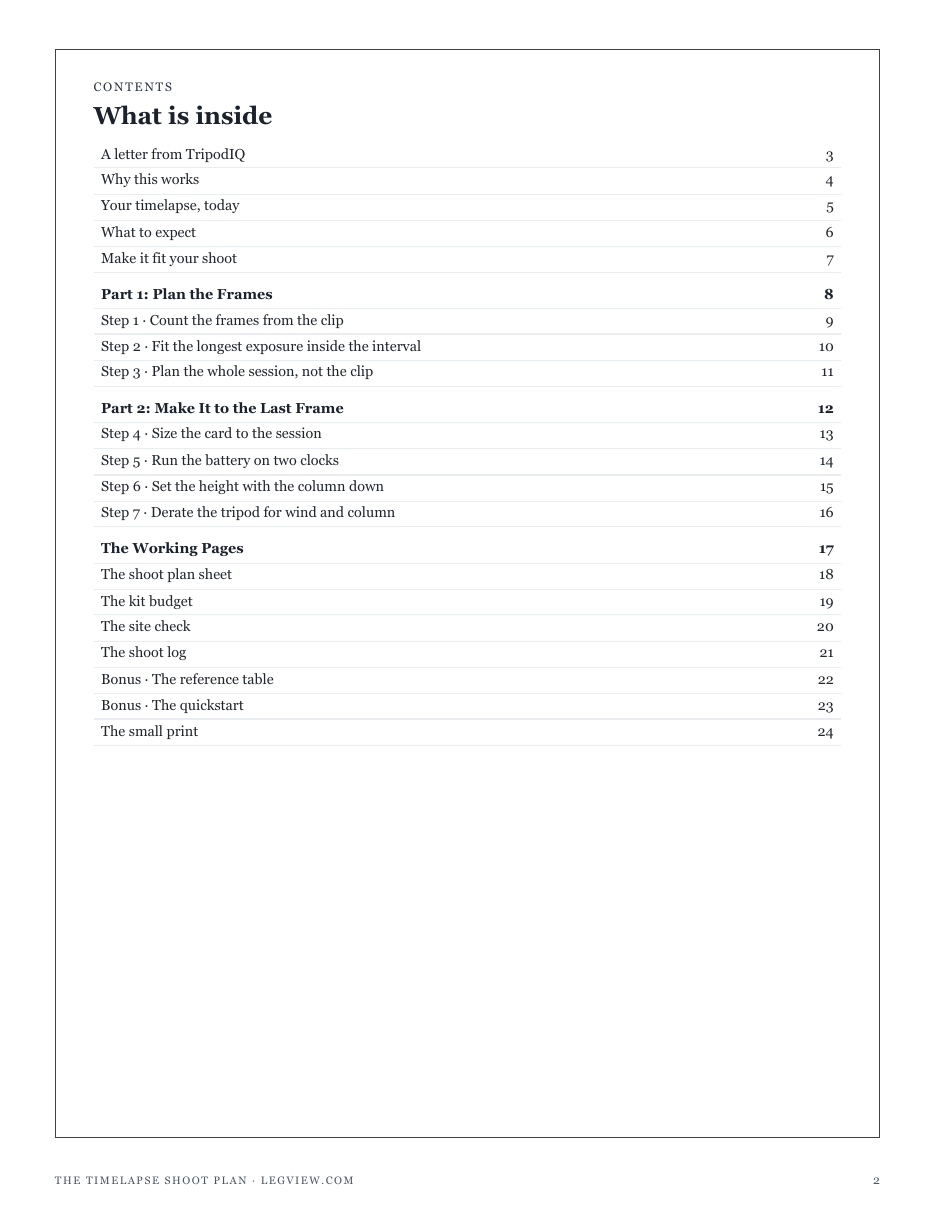
Two full pages from the plan, exactly as printed. Click either to read it at full size before you decide.
What is in it
- The Frames First Rule: frames from the clip, rounded up, and the interval rounded down to what your camera can set
- The Shutter Fits Rule: the longest exposure, doubled by noise reduction, checked against the interval
- The Whole Session Rule: lead-in, the clip's frames and the tail, and the frames the camera really shoots
- The Card Covers the Session Rule: storage for every frame shot, with a margin for night files
- The Two Clocks Rule: batteries on shots and on hours, derated for the cold, and what each swap costs
- The Legs First Rule: the height from the legs, the tipping angle at three leg spreads, the column last
- The Wind Derate Rule: the load in wind with the column you will use, before buying a bigger tripod
- Four printable working pages: shoot plan sheet, kit budget, site check, shoot log
- A reference table of frames and intervals for common clips and windows, and storage by file size
- A one-page quickstart, the site safety lines, and a personalised sheet worked from your numbers
- ✓ 24 printable pages
- ✓ 10 sections, worksheets and templates
- ✓ A second PDF worked out from the numbers you enter
- ✓ No account needed, just an email address
- ✓ Instant download; link valid 7 days
Price includes any taxes. Sold by GrabURL, who handle checkout and support. The charge appears on your statement as GrabURL.
The plan picks up where the free Timelapse Interval Calculator leaves off. The calculator gives the frames and the interval for your clip; its own page says battery life, storage and shutter limits are not modelled. The plan checks that the longest exposure fits inside the interval, sizes the card and the battery to the whole session with its lead-in and tail, and sets the tripod with the Tripod Height Calculator, the Tripod Stability Calculator and the Tripod Load Capacity Calculator: column down, legs spread, load derated for wind. It covers ground tripods only, never on a walkway or near a road and never left unattended. The worked figures are examples; your camera and your shoot are yours to fill in.